50 AI Prompts That Save
10 Hours a Week
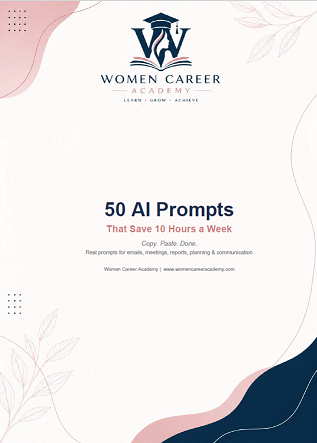
Copy. Paste. Done. Real prompts for emails, meetings, reports, planning & communication — works with free ChatGPT, Claude, Gemini & Copilot.
Get Instant Access — $17One-time payment • Instant PDF download • No subscription
What you're getting
A professionally designed PDF — ready to use today
Inside the PDF:
Does this sound familiar?
You spend 30 minutes writing an email that should take 5
Your meeting notes are a mess and no one follows up
You have data but no idea how to present it clearly
Your day starts organized and ends in chaos
The solution
Stop starting from a blank page.
Start with the right prompt.
50 ready-to-use AI prompts organized by your actual work tasks. Each prompt tells you exactly what to type, what to fill in, and saves you anywhere from 8 to 60 minutes per task.
5 categories — all your daily work covered
PROMPTS 1–10
Email & Communication
Write faster, clearer, more professional emails
PROMPTS 11–20
Meeting Notes
Turn messy notes into clear action items
PROMPTS 21–30
Reports & Data
Turn numbers into insights anyone can understand
PROMPTS 31–40
Planning & Projects
Organize your day and manage projects with clarity
PROMPTS 41–50
Professional Communication
Presentations, performance reviews, difficult conversations & proposals
3 examples from inside the pack
EMAIL — PROMPT #03
Decline a Request Politely Saves 20 min
💡 Always offer an alternative — even when saying no.
MEETINGS — PROMPT #11
Turn Raw Notes Into a Meeting Summary Saves 30 min
💡 You do not need perfect notes. Even messy bullets work — the AI fills in the structure.
PLANNING — PROMPT #33
Break a Large Project Into Steps Saves 45 min
💡 Big projects feel overwhelming until broken into small steps. This prompt does that in 30 seconds.
per week
prompts
categories
This is for you if…
Works with every major AI tool
One-time investment • Instant access
50 AI Prompts That Save
10 Hours a Week
Launch price — limited time
Instant digital download • No subscription • Personal use only
Questions
Do I need a paid ChatGPT subscription?
No. All prompts work with the free version of ChatGPT, Claude, Gemini, and Microsoft Copilot.
How quickly will I see results?
Most people save time on their very first day. Pick one prompt in the category where you spend the most time — emails, meetings, or planning — and use it today.
What format is this?
A professionally designed PDF you can download immediately after purchase. Keep it open on a second screen while you work, or print it out.
I'm not very technical. Is this for me?
Yes. These prompts are designed for people who have never used AI before. You copy, paste, fill in the brackets, and the AI does the rest.
Can I share this with colleagues?
This PDF is for personal use only. If you'd like your whole team to have access, please purchase individual copies.